
How to Conduct a Broken Link Audit to Recover Lost Affiliate Revenue
Nothing destroys an affiliate site's earnings faster than silent link decay. When high-intent buyers click product recommendations only to land on dead 404 pages or discontinued Amazon listings, your commission potential hits zero instantly. By conducting a targeted broken link audit to identify silent 404s and broken redirect hops, you can recover up to 25% of lost revenue in just one afternoon.
- 1. The Anatomy of Affiliate Link Decay: 4 Common Breakpoints
- 2. The True Cost of Broken Links: Lost Revenue + SEO Penalty
- 3. 4-Step Playbook to Conduct a Broken Link Audit
- 4. Catching Amazon "Dog Pages" (404) & Out of Stock Products
- 5. How AffiScope Highlights 301/404 Chains in Real Time
- 6. Continuous Link Hygiene: Staying Protected 24/7
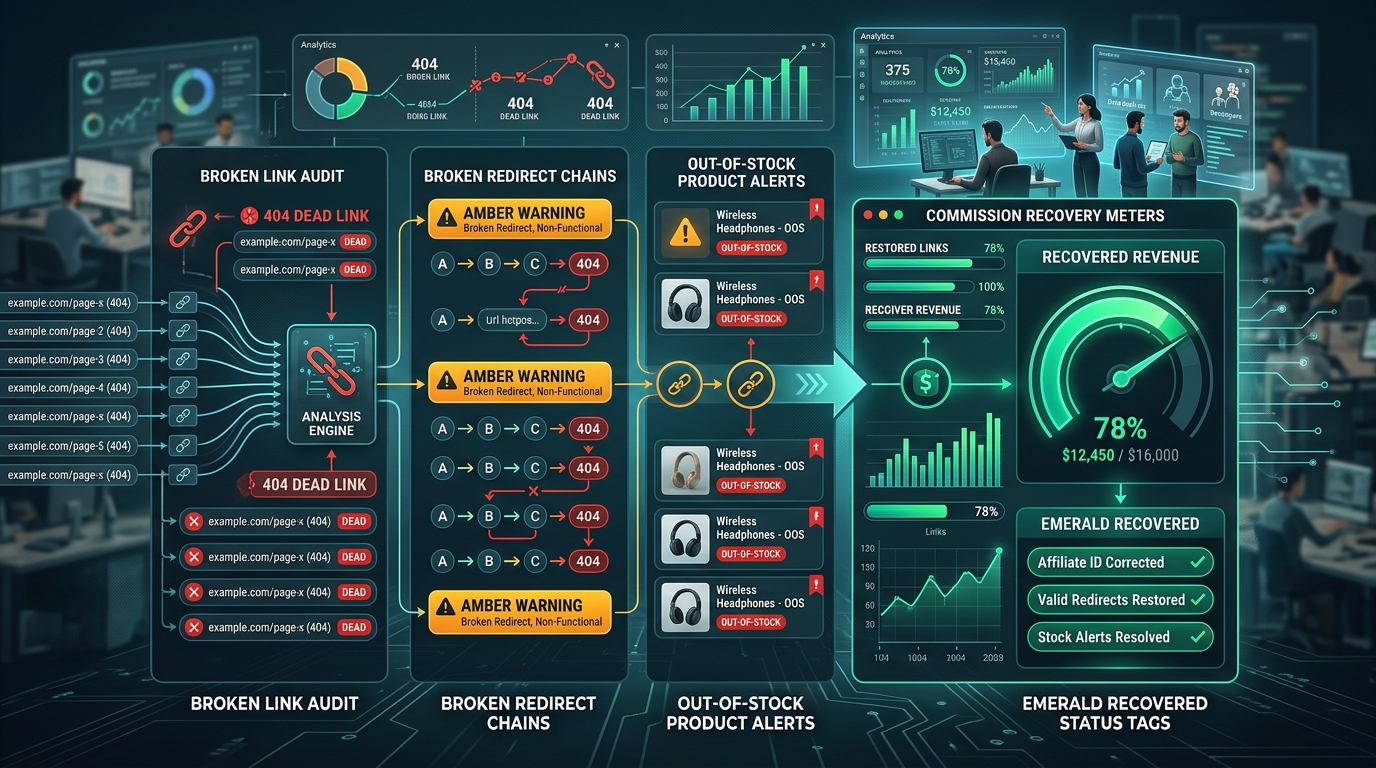
1. The Anatomy of Affiliate Link Decay: 4 Common Breakpoints
Unlike standard internal editorial links that stay stable for years, outbound commercial links are exceptionally volatile. They break across four primary vectors:
Merchants migrate between affiliate networks (e.g. from ShareASale to Impact), invalidating old tracking URLs and causing 404 destination errors.
When a specific model variation is discontinued, Amazon serves a "Dogs of Amazon" dead page instead of redirecting to the parent brand store.
WordPress redirect plugins using /go/ or /recommends/ fail when database tables corrupt or slug settings change.
Destination servers undergoing redesigns often drop query strings (?tag= or ?affid=) during 301 redirects, wiping out your commission credit.
2. The True Cost of Broken Links: Lost Revenue + SEO Penalty
The financial damage of dead links is compound:
- Immediate Direct Loss: If an article receives 5,000 monthly visits and a 5% click-through rate, a single dead primary link wastes 250 high-intent clicks every month. At an average EPC of $0.80, that is $200/month lost on one single page.
- User Engagement Collapse: Landing on a dead page creates frustration. Readers bounce back to Google SERPs, signalling low content quality and harming your search dwell time metrics.
- Search Penalty Risks: Google's helpful content guidelines explicitly reward pages with reliable, functioning references and clear disclosures.
3. 4-Step Playbook to Conduct a Broken Link Audit
Open Google Analytics or Search Console and sort your top 20 revenue-generating URLs. Auditing your top 20% pages captures 80% of your commission recovery opportunity.
Ensure you inspect where /go/product actually lands, rather than just checking if your own internal redirect slug returns 301.
Test whether the landing page returns 200 OK and whether the product is currently in stock or suppressed by merchant inventory gates.
Replace dead links with alternative active merchant offers, ensuring the updated tag carries rel="sponsored noopener noreferrer".
4. Catching Amazon "Dog Pages" (404) & Out of Stock Products
Amazon links present a notorious challenge: often Amazon's web server returns HTTP 200 OK headers while rendering a soft 404 page ("Looking for something? We're sorry..."). Traditional link checkers report these as healthy!
AffiScope specifically parses the response signature of Amazon product endpoints to flag both suppressed ASIN "Dogs of Amazon" pages and items marked as "Currently Unavailable", allowing you to quickly swap in alternative recommendations before traffic goes to waste.
5. How AffiScope Highlights 301/404 Chains in Real Time
AffiScope replaces clunky server crawling plugins with an in-browser live HUD. When you visit any review article or blog post:
- Instant Link Badge Overlays: Commercial links are highlighted with network tags (Amazon, Walmart, Impact, CJ) and HTTP status tags (200 OK, 301 Redirect, 404 Dead).
- Uncloaked Redirect Inspection: Hover over any cloaked link to see its full destination path and verify tracking parameters.
- 1-Click HTML Fixer: Click
[Copy Fixed HTML]to immediately copy properly formatted, Google-compliant anchor markup.
Reclaim Your Commission Earnings Today
Link decay is inevitable, but losing revenue is not. You can safeguard your income stream with a dedicated affiliate link validator that alerts you before commissions slip away, keeping your outbound links profitable, healthy, and compliant.
Start recovering lost affiliate revenue
Install AffiScope on Google Chrome to uncloak redirects, catch 404 dead links, and audit FTC compliance in real time.