
How to Run a Complete On-Page Website Audit in 5 Minutes
You don't need a $199/month enterprise SEO subscription just to evaluate the on-page health of a target URL. In fact, waiting hours for server-based crawlers to run scheduled batch jobs slows down content publication and misses client-side JavaScript rendering issues. Instead, you can use a dedicated website audit tool directly in your browser to inspect live rendered DOM, metadata limits, canonical alignment, and outbound link attributes in under 5 minutes.
- Step 1: Inspect Meta Tags, Title Length & SERP Snippet Preview
- Step 2: DOM Structure Inspection & Heading Hierarchy (H1–H6)
- Step 3: Canonical Alignment & Indexability Guard (Robots Meta)
- Step 4: Outbound Link Hygiene, rel="sponsored" & Security Attributes
- Step 5: OpenGraph & Social Previews Validation
- 5-Minute Audit Summary Checklist Matrix
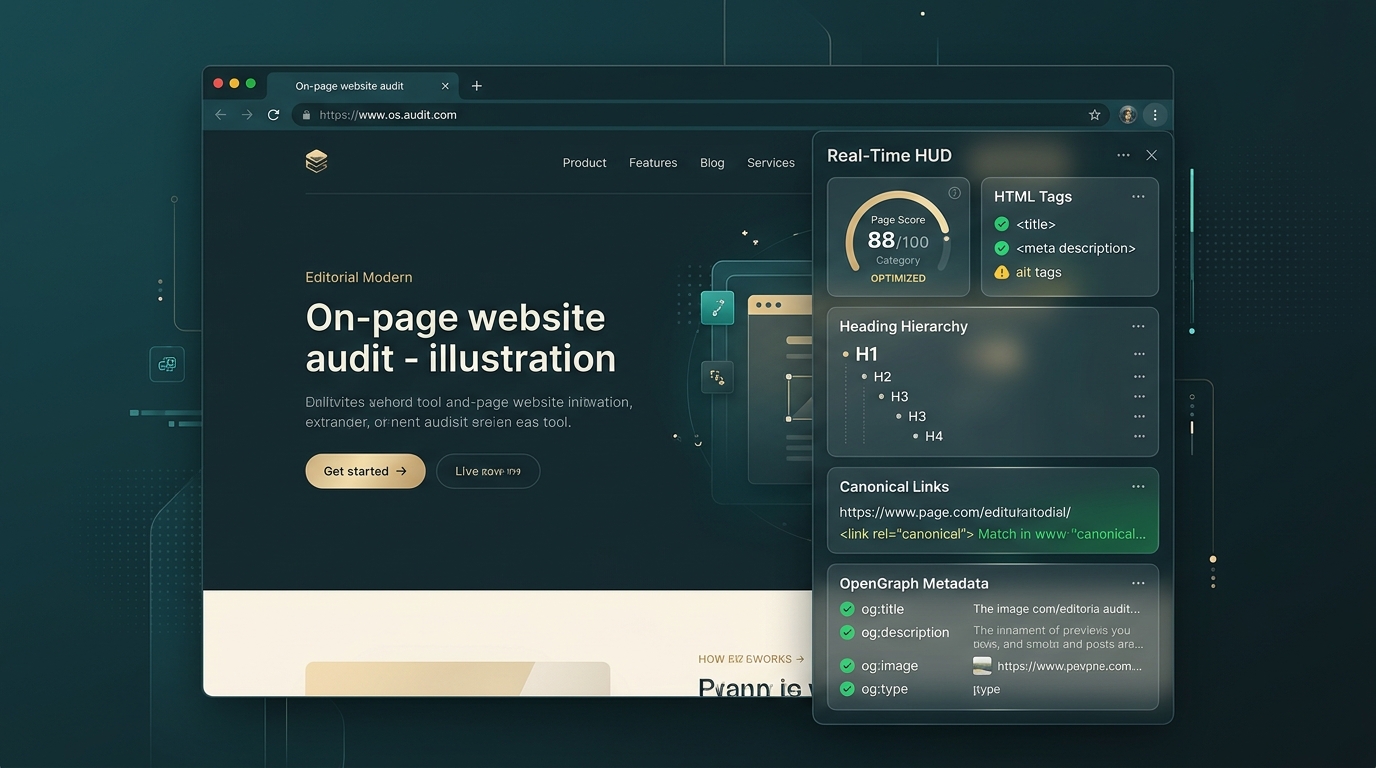
Step 1: Inspect Meta Tags, Title Length & SERP Snippet Preview
Every on-page diagnostic starts with the title tag and meta description. These two snippets determine whether your page gets clicked in Google search results or truncated by the search engine's pixel boundary constraints.
- Target: 50 to 60 characters (580px max width).
- Include your primary keyword in the first 35 characters.
- Ensure only one
<title>element exists in the head.
- Target: 120 to 160 characters (960px max width).
- Include secondary keywords and a clear user call-to-action.
- Avoid generic template placeholders or empty tags.
A high-velocity audit immediately flags when a CMS template accidentally outputs multiple title tags or when dynamic excerpt generators truncate descriptions halfway through a sentence.
Step 2: DOM Structure Inspection & Heading Hierarchy (H1–H6)
Search engines build semantic content maps by reading the heading hierarchy from <h1> down to <h6>. When content writers paste drafts from Google Docs or Notion, structural errors frequently slip through:
- Multiple H1 Tags: Theme logos, header banners, or sidebar widgets formatted as H1 tags confuse crawler intent.
- Skipped Heading Levels: Jumping straight from an H2 to an H4 breaks the logical document outline.
- Empty Heading Elements: Residual spacing blocks left behind in WordPress block editors create empty heading tags in the DOM.
Rather than opening Chrome DevTools and manually running query selectors, AffiScope's on-page engine scans the live rendered DOM in under 8ms. It renders a clean visual tree displaying each heading level, its character length, and highlights skipped levels or duplicated H1 tags with immediate visual alerts.
Step 3: Canonical Alignment & Indexability Guard (Robots Meta)
Nothing destroys organic traffic faster than an accidental noindex directive left over from staging environments, or a misconfigured canonical link pointing back to an old HTTP or staging URL.
During your 5-minute audit, verify three critical indexability markers:
- Self-Referencing Canonical: Confirm that
<link rel="canonical" href="...">exactly matches the live URL (including trailing slashes and HTTPS protocol). - Robots Meta Directives: Ensure
<meta name="robots" content="index, follow">is active and not blocked by conflicting headers. - HTTP vs HTTPS Consistency: Verify the page does not contain mixed content or mixed protocol canonical pointers.
Step 4: Outbound Link Hygiene, rel="sponsored" & Security Attributes
Outbound links are a major ranking factor and a critical compliance checkpoint. Under Google's Link Spam Guidelines, any outbound commercial link (affiliate link, paid partnership, sponsor mention) must carry either rel="sponsored" or rel="nofollow".
Recommended Tool →
</a>
✓ rel="noopener noreferrer" eliminates reverse tab-nabbing security risks.
AffiScope automatically scans every link on the page against 12+ major affiliate networks (Amazon, Walmart, Impact, ShareASale, CJ, Rakuten). It validates compliance attributes, tests for dead 404 targets, and provides a 1-click button to copy fully repaired, compliant HTML directly to your clipboard.
Step 5: OpenGraph & Social Previews Validation
When readers share your article on LinkedIn, Twitter/X, or Slack, social platforms crawl your OpenGraph meta tags to render card previews. Missing or broken image dimensions can make your post appear as a bare text link, drastically reducing referral traffic.
- og:image: High-resolution asset, preferably 1200x630 pixels.
- og:title & og:description: Clean, compelling preview copy.
- twitter:card: Configured as
summary_large_imagefor full-width timeline cards.
5-Minute Audit Summary Checklist Matrix
| Audit Checkpoint | Target Standard | How AffiScope Audits It |
|---|---|---|
| Title Tag Length | 50–60 Chars (<580px) | Instant character counter & truncation warning |
| Heading Hierarchy | Single H1, ordered H2–H4 | Visual DOM tree with skipped level flags |
| Canonical Alignment | Matches rendered HTTPS URL | Protocol & trailing slash mismatch detector |
| Outbound Link Hygiene | rel="sponsored" on commercial links | Automated network regex + 1-click HTML repair |
| Broken / Dead Links | 0 dead redirects or 404 pages | Non-blocking background HEAD pings in <8ms |
Next Steps: Streamline Your On-Page Audits
Running manual browser audits doesn't require slow server crawlers or steep SaaS subscriptions. By adopting lightweight seo audit tools directly inside your Chrome browser, you can diagnose content health, fix compliance gaps, and publish with complete confidence in under 5 minutes.
Run your 5-minute audit right now
Install AffiScope on Google Chrome for instant on-page technical diagnostics, heading hierarchy analysis, and 1-click link repair.